 PrismShade
qUINT MXAO
Ambient occlusion. Contact shadows that keep objects sitting on the ground.
00No post-processing
PrismShade adds real post-processing to Roblox on your Mac. This island starts out flat, like the default game. Scroll down and each pass gets added, one at a time.
01qUINT MXAO
Ambient occlusion darkens the places light can't reach: under the roof, where the steps meet the sand, between the rocks. Things stop looking like they float.
02qUINT SSR
Screen-space reflections run over the whole frame. The pool picks up the pavilion, the floor picks up the pillars, and the grass gets a faint sheen. Whatever is off screen falls back to the sky.
03iMMERSE Pro RTGI
Sunlight hits the sand and the water and spills that color onto the stone around it. Bounce light is a big part of why a place looks lit instead of just colored.
04qUINT ADOF
Depth of field softens the background the way a real lens does. You set where the focus sits and how strong the blur gets.
05qUINT Bloom
Bloom only touches the hottest parts of the frame: the sun, the lamps, these crystals. The rest stays sharp.
06qUINT Lightroom + Deband + Clarity
Temperature, contrast and a touch of color separation, here pushed cool and blue. Deband smooths out the sky, and Clarity brings back small detail.
07Full stack
Turn any pass off in the stack to see what it was doing. In game, F8 opens the same kind of overlay.
Try it: switch passes off in the stack
01Before and after
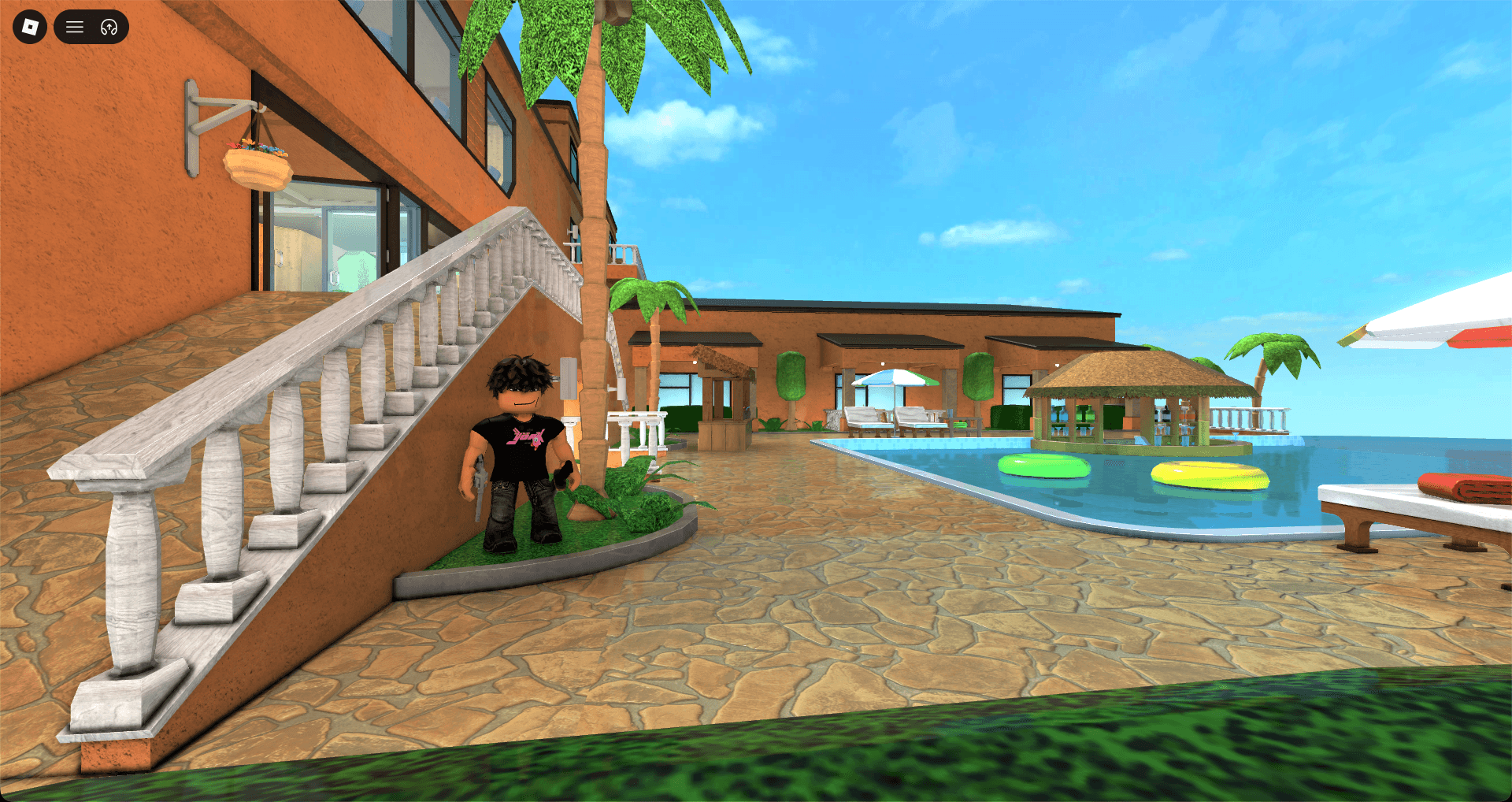
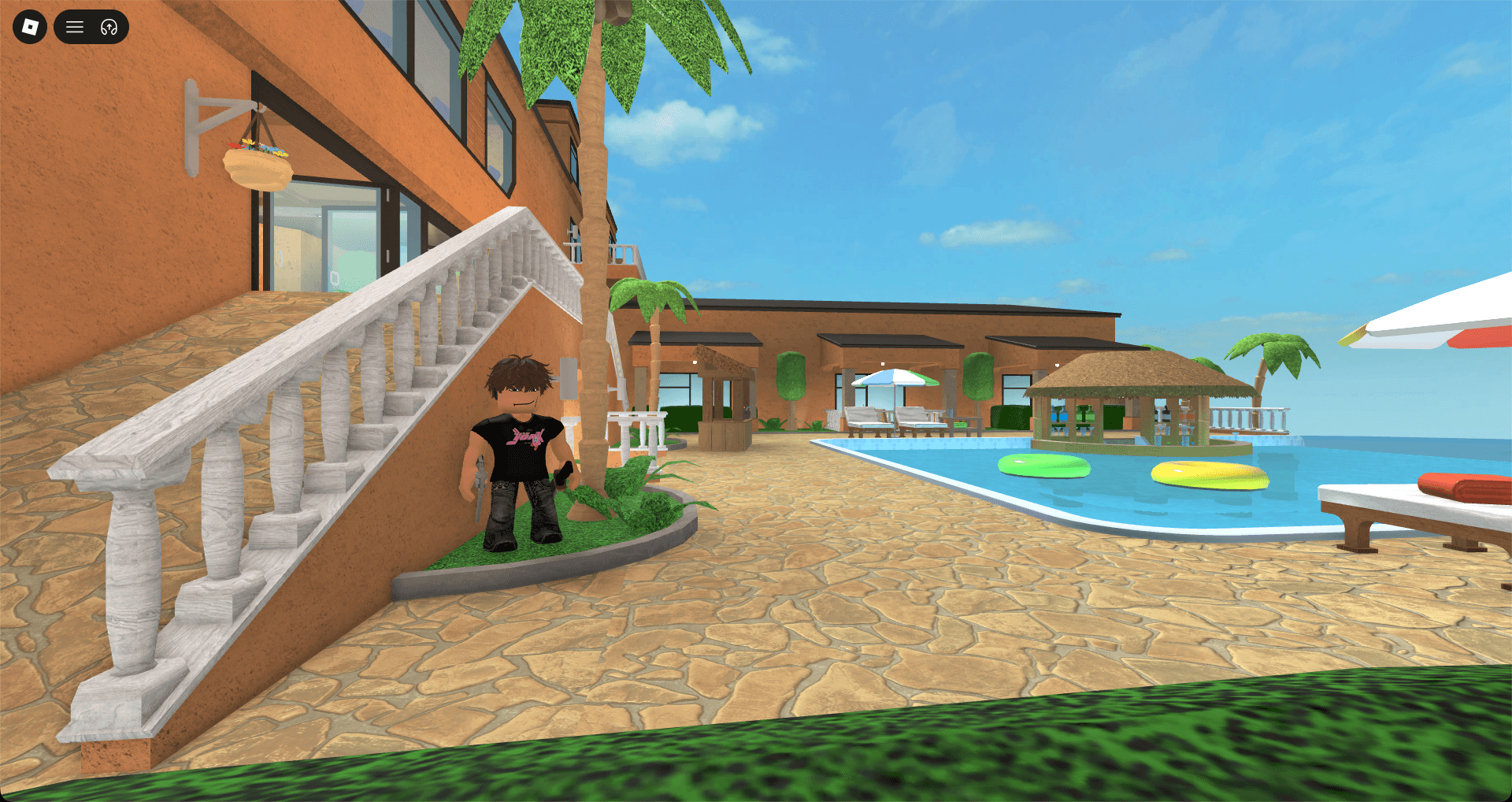
A real Roblox scene with PrismShade off, then on. Drag across the image, or focus the slider and use the arrow keys.
02Gameplay
Recorded on an Apple silicon Mac during normal play. Nothing here is pre-rendered or staged.
03Effects
PrismShade loads ReShade .fx effects and presets. Press F8 in any game to open the overlay and change them while you play.
Ambient occlusion. Contact shadows that keep objects sitting on the ground.
Screen-space reflections across the whole frame: water, floors, glass, anything with a bit of gloss.
Ray-traced diffuse light: bounce, color bleed and extra occlusion.
Depth of field with proper bokeh and a focus point you control.
A soft glow around the brightest parts of the image, and nothing else.
Exposure, white balance, contrast and per-color adjustments.
Gets rid of the visible steps in skies, fog and smooth gradients.
Local contrast. Brings texture and small details forward.
04Builds
Version 0.2.1 · Apple silicon · Intel in progress
01 / Quality
Every effect at full settings. Best on newer Apple silicon, and the one to use for screenshots.
02 / Performance
Lighter settings tuned for M1 and other lower-power Macs. Higher frame rate, a bit less detail.
05Setup
Download the Quality or Performance build and drag PrismShade into Applications.
macOS 13+Open PrismShade and start Roblox from its launcher, not from the browser.
One clickJoin any game and press F8. Change effects while you play and save the look as a preset.
Live